
A 2D code may look perfectly clear to the human eye and still be difficult for a machine vision camera to read reliably. Glossy packaging can reflect light directly into the lens, dark surfaces can reduce contrast, and curved products can create bright and dark areas across the same code. Choosing the correct illumination is therefore often one of the most important steps in achieving reliable reading on a production line.
Inkjet printing is widely used for variable information such as batch numbers, dates and 2D codes. However, the appearance of the code depends not only on the ink but also on the material underneath it. A code printed on matt cardboard behaves very differently from the same code on shiny plastic, metal or a dark package. For this reason, there is no single lighting arrangement that works for every application.
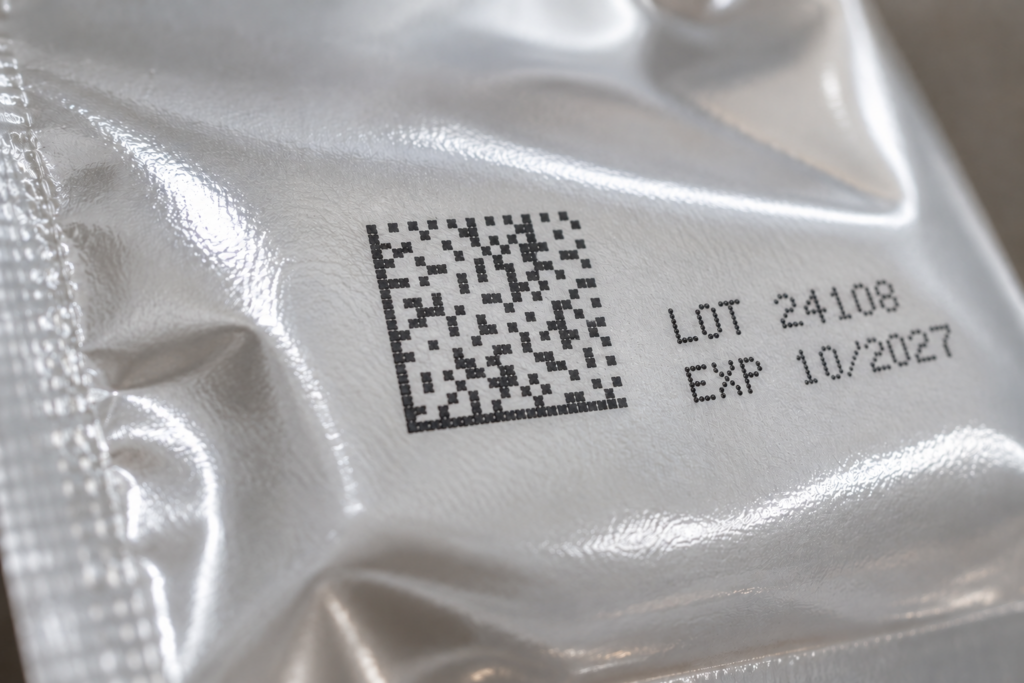
What makes an inkjet code difficult to read?
The camera must clearly distinguish the printed elements of the code from the background. This becomes more difficult when the print is faint or incomplete, the packaging is glossy or curved, the product moves, or reflections cross part of the code.
Before changing camera or decoder settings, inspect the image captured by the camera. Check whether the complete code is evenly illuminated, whether the print is clearly separated from the background, and whether reflections or shadows hide part of the code.
Start with the LED Colour
Red and white LEDs are useful starting points for many inkjet applications, but neither is automatically the best choice. White light is a good general-purpose option, while red light can provide strong contrast on certain coloured surfaces and works well with many monochrome cameras.
Compare images using the actual ink and packaging material. The goal is not simply maximum brightness, but the clearest and most consistent separation between the code and the background.
Choose the Right Lighting Geometry
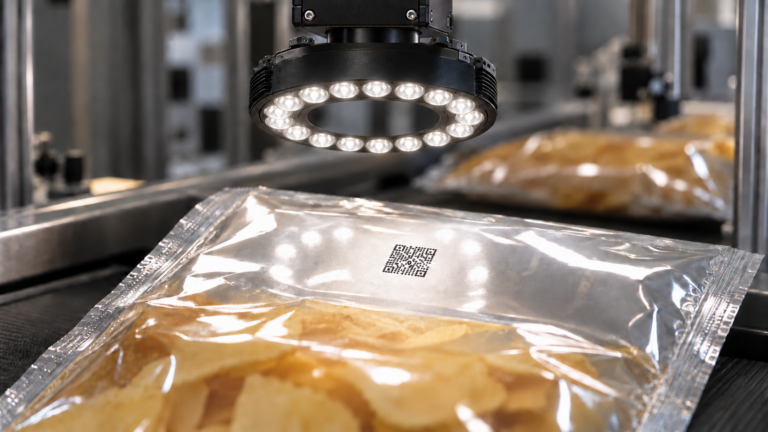
A ring light surrounds the camera lens and can provide compact, even illumination when the code appears in a predictable position. It often works well on matt or slightly textured surfaces. On glossy packaging, however, it can create direct reflections into the camera, so diffusion or a different angle may be required.
Diffuse lighting is especially useful for glossy, curved or reflective packaging. A dome light spreads light across the surface from many directions, helping to reduce strong highlights and shadows. This can make codes on plastic film, metal or curved containers easier to see.
Bar lights offer greater control over the illumination direction. A single bar light can be positioned at an angle so that reflections are directed away from the camera, while two or more bar lights can provide more uniform illumination over a larger area. They are also useful when the product geometry makes a ring light impractical.
Consider Polarisation for Difficult Reflections
For highly reflective materials, polarising filters can reduce glare further. A polariser on the light and another on the camera lens can suppress reflected light and improve code visibility. Because polarisation reduces the amount of light reaching the camera, sufficient light output is important, especially at short exposure times.
Match the Lighting to Production Speed
A setup that works on a stationary sample may fail when the product moves quickly. If the exposure time is too long, motion blur can reduce decoding performance. Higher intensity or strobed illumination allows shorter exposure times and helps freeze movement. In strobed applications, the trigger timing between sensor, light and camera should be checked carefully.
Test Under Real Production Conditions
Do not validate the system using only one perfect sample. Test the lightest and darkest packaging variants, normal product movement, changes in code position, slightly weaker print and different production batches. Also check the complete field of view if the code can appear at different positions.
A lighting solution should provide a stable image across the full range of acceptable products, not just the easiest sample.
Separate Lighting Problems from Printing Problems
Good lighting can make an existing code easier to see, but it cannot restore information that was never printed. If dots or parts of the code are physically missing, blurred or distorted, the printing process should also be checked, including printhead condition, print distance and product movement.
A Practical Setup Process
Start with a representative product and ensure the code is sharply focused. Test a simple lighting arrangement, compare LED colours, and then optimise the angle and distance. If reflections remain, add diffusion, test a dome light or use polarisation. Once the image is stable, reduce the exposure time to a value suitable for the real production speed and verify the setup across all relevant product variants.
Conclusion
Reliable 2D code reading starts with a clear and consistent camera image. Test LED colour, lighting angle and diffusion against the actual ink, packaging material and line speed. Use diffuse illumination for reflective surfaces, bar lights when directional control is needed, and polarisation when glare remains difficult to eliminate.
Once reflections and motion blur have been minimised, test the setup across the full product range. A well-designed lighting setup can significantly improve decoding stability and reduce read failures on the production line.